
Canvas Ext
Draw on surface using brush, eraser, etc.
Node Data | |
|---|---|
 | |
Display name | |
Canvas Ext | |
Internal name | |
Node_Canvas | |
Inheritances | |
| Node_Canvas | |
Inputs | |
Frames | |
vec2 |
Dimension |
Output | |
enum |
Output Type |
bool |
Auto Frame |
int |
Frame Index |
float |
Animation Speed |
enum |
On End |
Background | |
bool |
Render Background |
enum |
Background Type |
color |
Background Color |
surface |
Background |
bool |
Use Background Dimension |
slider |
Background Alpha |
Brush | |
enum |
Brush Type |
surface |
Brush Surface |
range |
Brush Distance |
rotRand |
Random Direction |
bool |
Rotate By Direction |
Animated | |
bool |
Animated Brush |
enum |
Animation Type |
float |
Base Speed |
float |
Velocity Speed |
float |
Step Speed |
enum |
On Animation End |
Scatter | |
bool |
Scatter |
float |
Scatter Amount |
float |
Scatter Radius |
Data Transfer | |
surface |
Data Source |
bool |
Transfer Dimension |
Outputs | |
surface |
Surface Out |
Attributes | |
| Color Depth | |
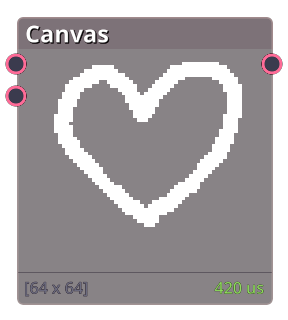
Canvas node is used for drawing directly to surface.
Properties
| Frames | |
| Dimension | The size of the canvas. |
| Output | |
| Output Type | Whether to output as animated surface or surface array. |
| On End | What to do when the animation reaches the last frame. - Loop: Loop back to the first frame. - Hold: Freeze on the last frame. - Clear: Output empty surface. |
| Animation Speed | The speed of the animation. |
| Background | |
| Background | The background texture. |
| Use Background Dimension | Whether to use the background texture dimensions instead of the Dimension. |
| Background Alpha | The alpha of the background texture. |
Tools
Canvas node comes with a set of tools for drawing on the surface.
Actions
Actions are refered to the right-side button in the preview panel. These can be seen as tools for more specific tasks.
Related Links
- Base Code: /scripts/node_canvas/node_canvas.gml
- Shader [sh_canvas_apply_canvas]: /shaders/sh_canvas_apply_canvas/sh_canvas_apply_canvas.fsh
- Shader [sh_canvas_apply_draw_canvas]: /shaders/sh_canvas_apply_draw_canvas/sh_canvas_apply_draw_canvas.fsh
- Shader [sh_canvas_apply_draw]: /shaders/sh_canvas_apply_draw/sh_canvas_apply_draw.fsh
- Shader [sh_canvas_preview_canvas]: /shaders/sh_canvas_preview_canvas/sh_canvas_preview_canvas.fsh